New Sunrise, Metcash (Friendly Grocer, IGA) and SPAR CSV formats, plus any supplier's price file through the import wizard. Host files can be uploaded by hand or fetched automatically on a schedule.
See every cost and sell change before you apply it
Keep your own price where you've set one, or follow the RRP
Products link by barcode, so changing buying group is a settings change
How do shelf labels work?
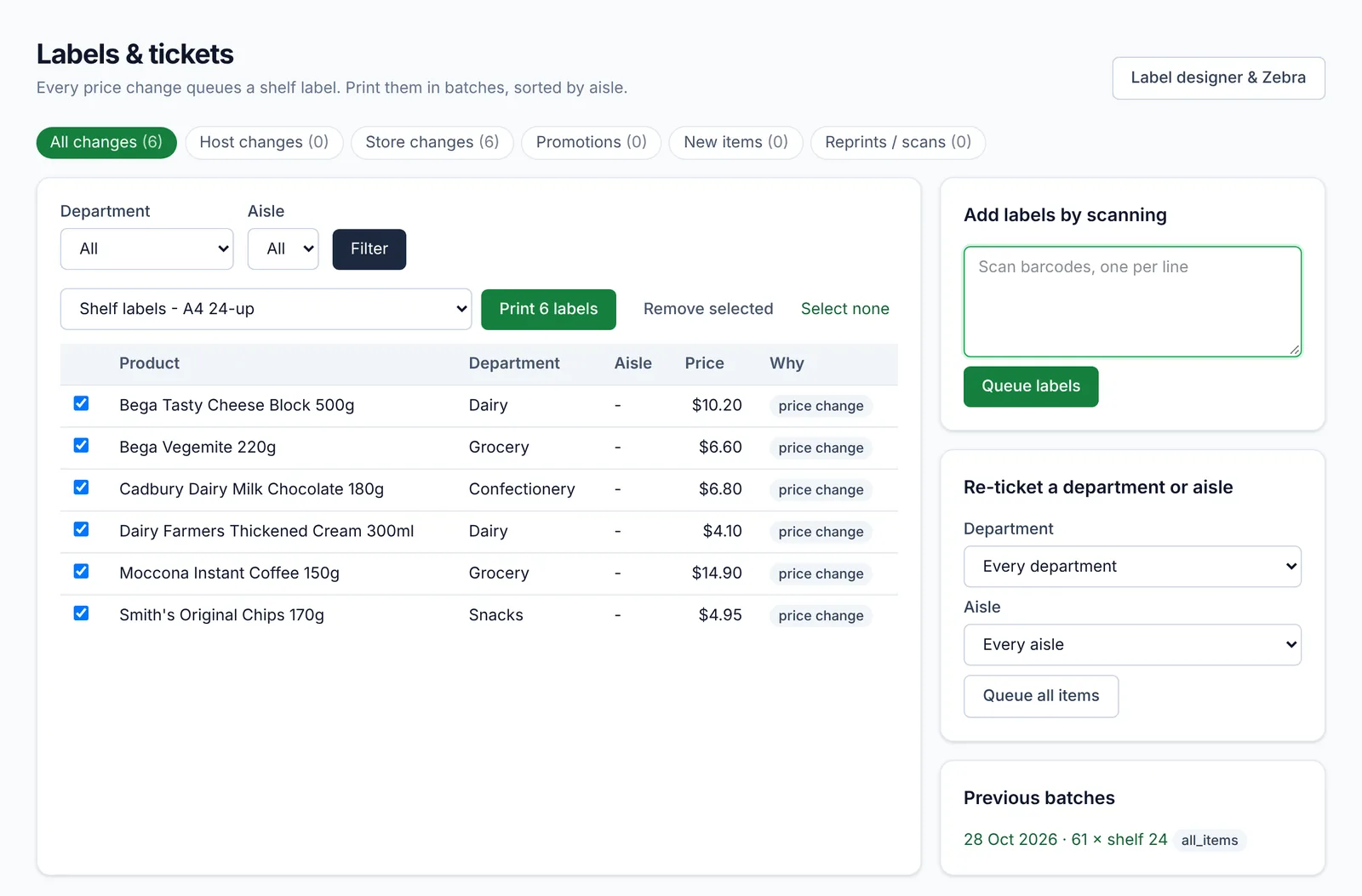
Every price change adds the product to the label queue. Print the queue on A4 label sheets or a Zebra label printer, using templates you design yourself. Unit pricing (per 100g, per litre) is calculated for you to meet the Unit Pricing Code.
Does it support electronic shelf labels?
Yes. Link a tag to a product by scanning both; price changes are sent to your ESL system automatically and the screen shows any tag that hasn't updated.
Can I check my prices against the market?
The pricing screen compares your cost and shelf price with your other suppliers and with supermarket catalogue specials, so you can see where you're out of line.
Common questions
What is a host file?
+
A host file is the price and product file a buying group (like New Sunrise or Metcash) sends its stores, usually weekly. It lists products, barcodes, costs and recommended prices. See our guide to host files.
Can I design my own labels?
+
Yes. The label designer lets you place the price, description, unit price, barcode and promo text, and print to A4 sheets or a Zebra printer.