How does AI invoice reading work?
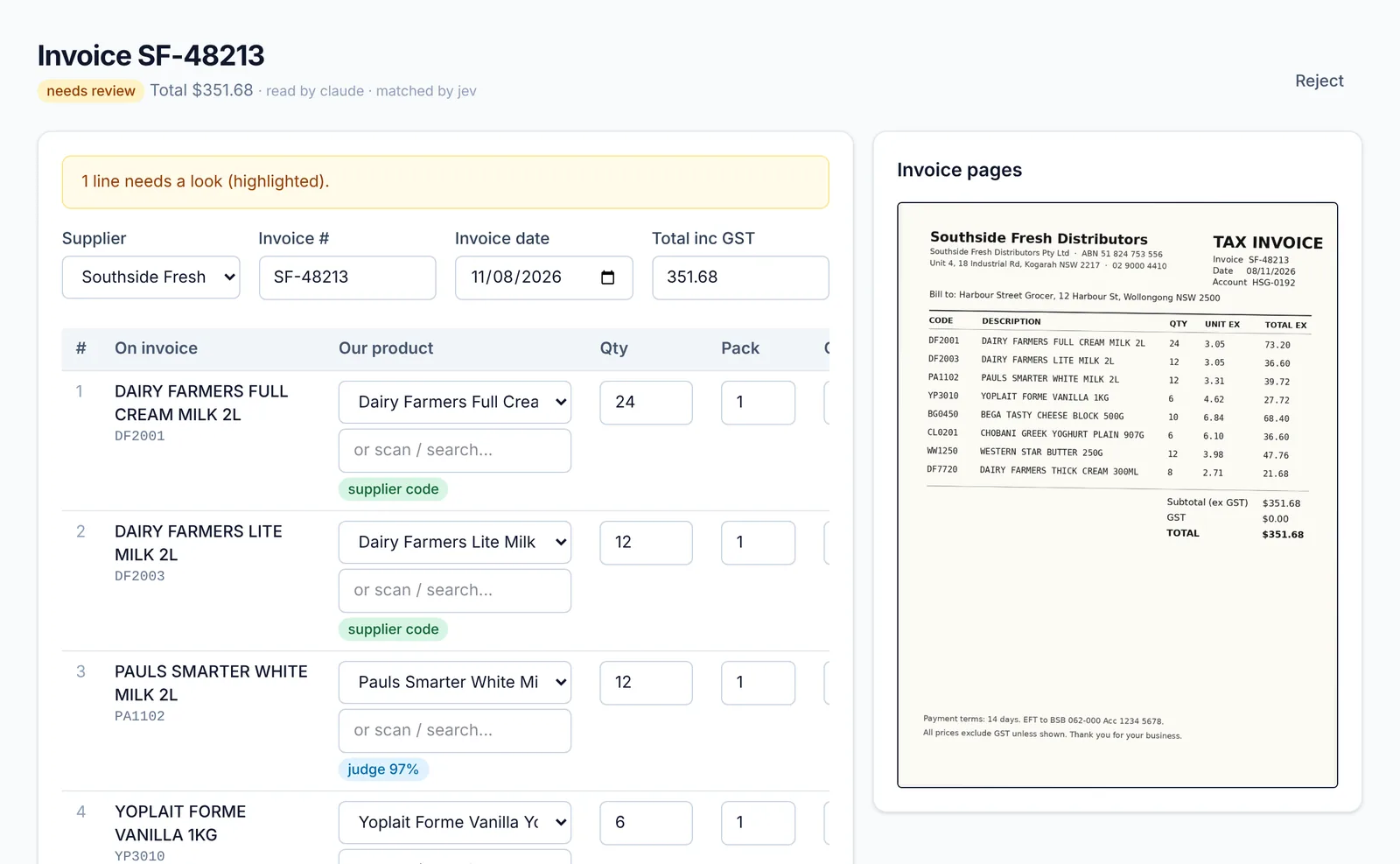
You take a photo of the invoice on your phone, or upload the PDF the supplier emailed. The AI reads the supplier, invoice number, date and every line; each line is matched to your product by barcode, supplier code or description; and the totals and GST are checked against the invoice.
What do I check before it's saved?
The review screen shows the invoice image next to the lines it read. Matched lines are ticked; anything uncertain is highlighted for you to pick. Cost rises are shown with the shelf price that keeps your margin.
What happens when I approve it?
The stock is received, costs are updated, expiry dates are recorded for products you track, and any price changes you accept go to the label queue.
Is the AI always right?
No AI is. That's why nothing is saved until you approve it, the invoice total must add up, and every match shows how sure it is. It learns your suppliers' product codes as you confirm them.